Bring the idea. Your agent helps turn it into editable, account-specific drafts.
Freepost AgentIllustrative workflow
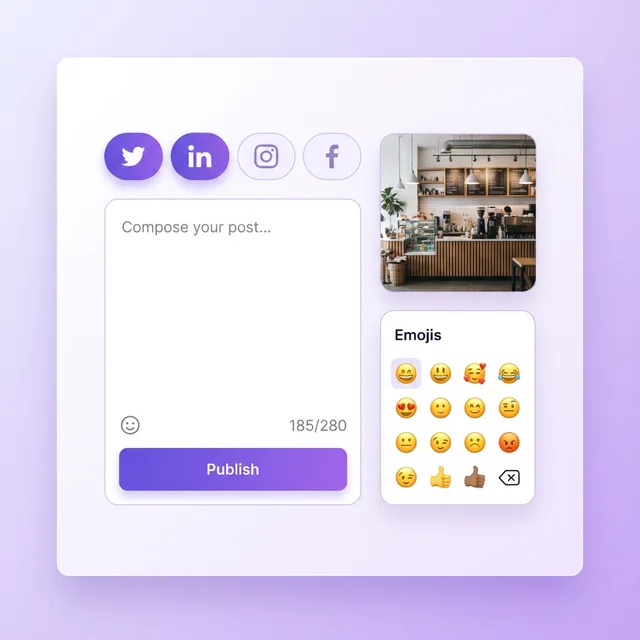
“A little launch update for our new matcha.”
Editable draft
A greener kind of afternoon. Meet your new matcha ritual. 🍵
Launch updateReady to edit
fMore room for the creative part.
Example content. Your workspace stays yours.
02 / Review — The final say is yours
Your agent prepares. You decide.
See the words, the account, and the next action. Review the details before anything goes out.
Freepost AgentIllustrative workflow
Ready for your review
A greener kind of afternoon. Meet your new matcha ritual. 🍵
Read the final draft
Check the selected account
Choose the next action
Your approval comes first.
fMore room for the creative part.
Example content. Your workspace stays yours.
03 / Schedule — A plan for what comes next
A little more room in your week.
Choose when your content goes out, then follow its publishing status in your workspace.
Freepost AgentIllustrative workflow
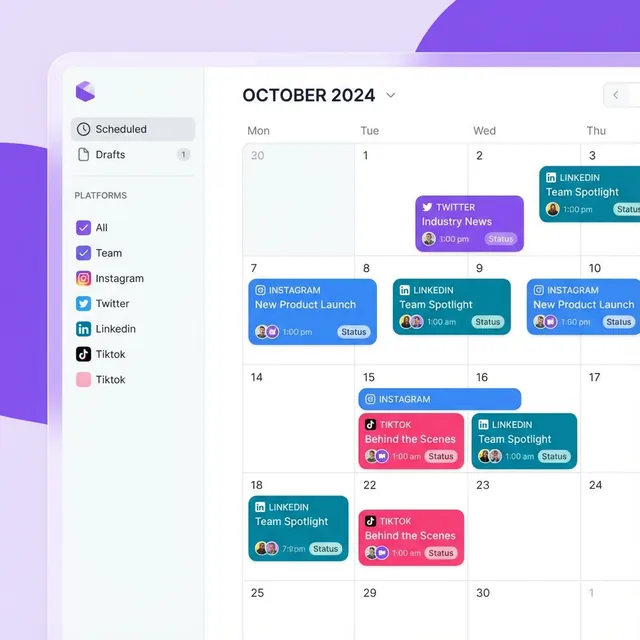
Your content calendar
M16T17W18T19F20
09:00Matcha launchSample schedule · your chosen time
No real posts are created by this preview.
fMore room for the creative part.
Example content. Your workspace stays yours.
04 / Join — Your turn
Tell it what to post. It handles the rest.
Freepost is an AI-powered assistant that writes, adapts, schedules, and publishes your content across every social platform — from a single conversation.
FreepostStart with your email
Free plan · 5 social accounts · 10 posts per day · no credit card
YOUR IDEA. YOUR AGENT. YOUR CALL.
A whole workspace behind every idea.
From the first draft to your content calendar, keep the creative work and the final decision in one place.
The demo is typing an example request about a matcha latte launch.
1 sample image
FreepostYour content, your call
XDraft
InstagramDraft
Nothing is scheduled until you approve.
YOUR CALENDARSample week
Make room for your next good idea.
November 16–20, 2026
WED18THU19FRI20
08:00
09:00
10:00
11:00
Saved for
your approval
Asia/Shanghai (GMT+8)
You're always in the loop.
The calendar stays empty until you say yes.
Sample content · illustrative timingNo real posts are created.
Ready to try the example.
A scripted walkthrough of drafting and approval. Your actual drafts and delivery times will vary.
Why Freepost
Every post accounted for, from draft to delivery.
AI drafts wait for your approval, each account signs in inside its own browser profile, and every delivery is tracked until it lands. You always know what went out, what is next and what failed.
One post fans out to each account you pick. Each delivery is queued, tried, retried with backoff if it fails, and tracked until it lands.
Weekly tips · 3 draftsautomation · waiting for reviewreview
Launch recap · 2 draftsautomation · 1h ago
Menu of the week · 3 draftsautomation · yesterday
Nothing posts without you
Automations draft on your schedule and hold every batch for review. Approve it or dismiss it.
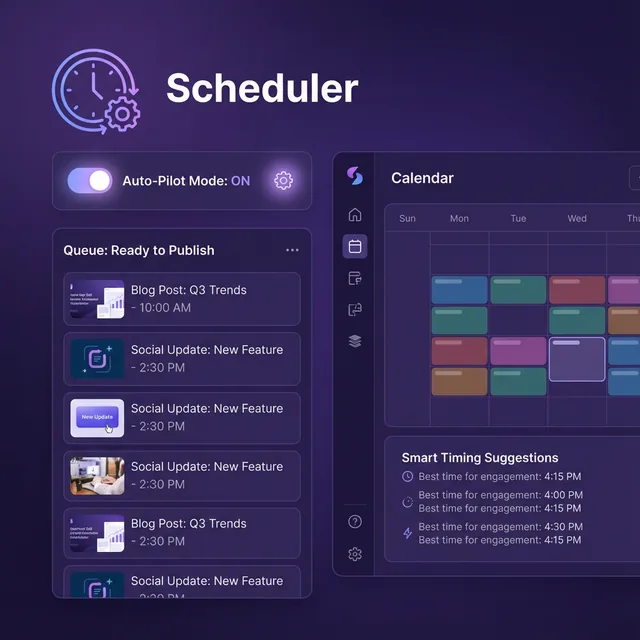
Thursday09:00 GMT+818:00 GMT+8
0006121824
xiaohongshu
Drag to reschedule
Month, week and day views in your own time zone. Move a post and its publish time moves with it.
128
published · 24 scheduled · 3 failed
Your publishing at a glance
What was published, scheduled and failed over 7, 30 or 90 days, or a summary from AI Chat.
workspace API key
1POST /api/v1/posts
2Authorization: Bearer fp_••••
3{ "content": "New menu, live today",
4"platform": "xiaohongshu" }
API and MCP, when you want them
Workspace API keys let your own scripts and AI clients create drafts, schedule and publish.
Xiaohongshu @lumenQRHealthy
X @lumenFormHealthy
Instagram @lumenFormCheckingHealthy
Douyin @lumenQRReconnect
One browser profile per account
Each account signs in on the platform's own page, by QR code or its sign-in form, inside its own browser profile and behind its own proxy if you add one. Your password is never stored, and disconnecting erases the profile.
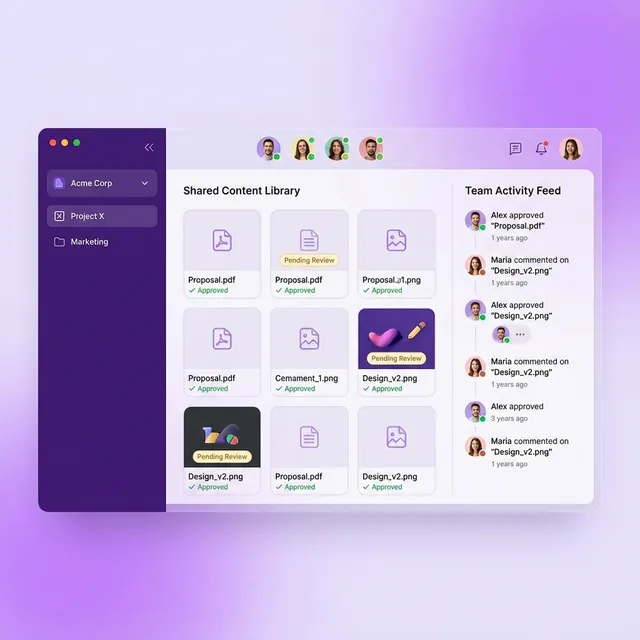
LLumen Café2 members3 members
MCMia ChenOwner
LPLeo ParkMember
Invite linkone-time · 72 h
ARAna RuizMember
A workspace for every brand
Bring teammates in with a one-time invite link. Each workspace keeps its own accounts, posts, media and plan.
Your platforms, brought together
Your platforms. One place to work.
Bring your accounts, not a new set of passwords. Scan a QR code or sign in on the platform's own page. Each account keeps its own browser profile.
Plans count connected accounts across all platforms: two Xiaohongshu accounts count as two. Upgrade or cancel anytime.
Agent access (API, MCP, skills) is included in every plan. Free includes 20 external publishes per month.
FAQ
Questions, answered plainly.
How Freepost signs in, what it publishes today, and what the plans include.
Which platforms can I connect?
20 today: Xiaohongshu, Douyin, Kuaishou, WeChat Channels, Weibo, Bilibili, Instagram, Facebook, TikTok, YouTube, X, LinkedIn, Threads, Baijiahao, Alipay, Hupu, Zhihu, Xueqiu, Dayu and Facebook Page. Each account signs in on the platform's own page, inside a browser Freepost runs for that account alone, and you can connect several accounts on one platform. Plans count connected accounts across all platforms: two Xiaohongshu accounts count as two.
Which platforms can Freepost publish to?
Xiaohongshu, Instagram and X today. Publishing opens on each of the other platforms once Freepost has verified it on live accounts; until then you can connect the account and prepare drafts for it.
Do I have to give Freepost my password?
No. You sign in on the platform's own page: scan its QR code where it offers one, or use its sign-in form in a live view. For X, LinkedIn and Threads you can choose Automatic sign-in instead — Freepost types the username and password you give it into that form once, and never stores them.
Does Freepost use the platforms' official APIs?
No. Each account signs in and publishes through the platform's own web pages, in a browser profile of its own, behind its own proxy if you add one. Each platform's rules still apply to your account, and platforms change their pages; when a delivery fails, Freepost shows you which one and why.
Will the AI publish anything without asking me?
No. Anything the assistant would publish or schedule is proposed to you first and runs only after you approve it. Automations write drafts on their schedule and hold every batch for your review.
What happens if a post fails to publish?
Freepost retries each account's delivery with backoff. If it still fails, the post is marked failed, so you can see it, fix it and schedule it again.
Is there a free plan?
Yes, with no credit card: 5 social accounts, 10 posts per day, 5 queued scheduled posts and 10 ai chats per day. Upgrade when you need more.
Can I cancel a paid plan?
Yes. A card subscription is cancelled from Billing and stays active until the end of the period you paid for. In mainland China plans are sold as passes — one payment for 30 or 365 days — which simply end.
Can my team work in Freepost?
Yes. The workspace owner shares a one-time invite link, valid for 72 hours. Each workspace keeps its own accounts, posts, media and plan, so you can run one per brand.
Where is my data, and can I delete it?
Our servers are in the United States. You can export your data from Settings and delete your account there; deletion takes effect after 30 days, during which you can cancel it. The privacy policy has the details.
Get started
Your first post, drafted and waiting for you.
Start on the free plan and move up when you need more accounts, posts or AI.
Free plan · 5 social accounts · 10 posts per day · no credit card