

How to Post on RedNote (Xiaohongshu) from Outside China (2026)
Post on Xiaohongshu (RedNote) from outside China. Learn about signup, verification, the creator platform and scheduling.

By
Freepost team
You can post on RedNote (Xiaohongshu, 小红书) from outside China. The mobile app is the reliable way in: register with a foreign phone number or another supported login, keep that number, and publish from the app. Desktop creator login pages can open from an overseas network, but some users report being restricted or asked for extra verification after signing in from abroad. Platform rules still apply — especially limits on off-platform contact details and commercial content.
For planning ahead, see Freepost’s Xiaohongshu scheduling tools.
What RedNote is and why it matters
RedNote (Xiaohongshu, 小红书) is a Chinese lifestyle and discovery community. People use it to share and search first-hand notes — photos, short videos, and write-ups — about products, food, travel, fashion, and everyday recommendations. Overseas, the international website is rednote.com, and the App Store lists the official app as “rednote.” It is the same product family, not a separate network.
The official developer portal describes the platform as reaching 300 million users. Treat that as the company's own figure, not a dated monthly-active-user report. For overseas brands, creators, Chinese diaspora sellers, and cross-border marketers, the reason to be there is straightforward: a large Chinese-speaking audience already uses the app to decide what to try or buy.
One official detail is easy to miss. If you register outside Chinese mainland, rednote Terms of Service (effective 9 June 2026) apply, under Rednote Technology PTE. LTD. If you register in Chinese mainland, a separate Xiaohongshu terms agreement applies instead. The app looks similar, but the terms are different.
Can you use RedNote from outside China?
For ordinary use, yes. Recent setup guides report that the official app is on the App Store and Google Play, that a mainland +86 number is not required, and that a VPN is not needed just to open the app abroad. Access can still vary by network, account, or feature.
The mobile app is the path that usually works: you can browse, comment, and publish notes from a phone outside China. An English interface and post translation are available in the app settings, and the international website rednote.com also presents an English UI — the 3:4 cover example later in this article is taken from that Explore feed. For browsing and the desktop creator tools, overseas users should use rednote.com and the international creator site creator.rednote.com. Most notes are still written in Chinese. Keep the app as a fallback if the desktop creator platform asks for extra checks.
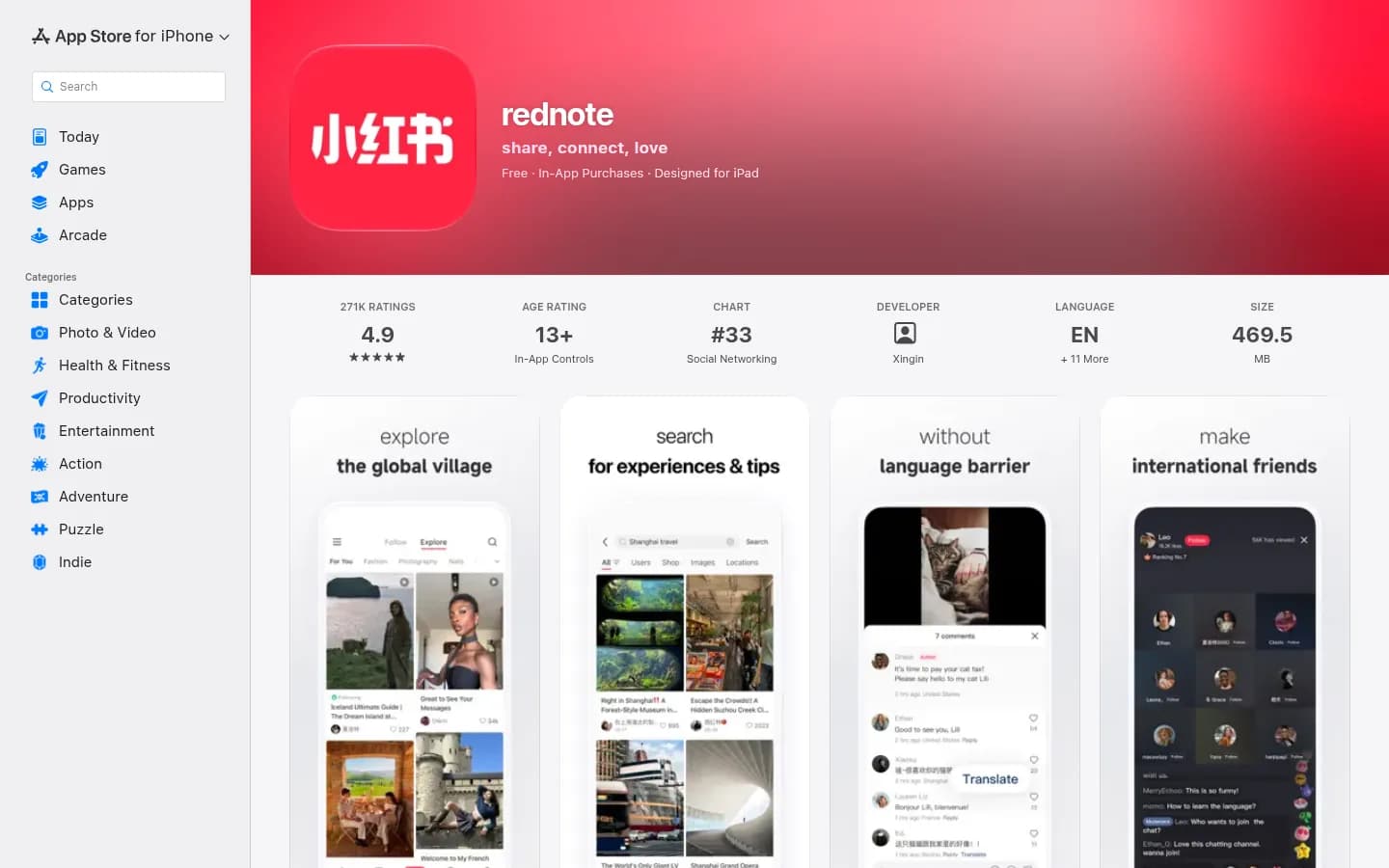
On the App Store, the official app is listed as rednote. The developer name appears as Xingin, which is 行吟信息科技(上海)有限公司.
Step-by-step: create and verify an account
1. Install the official app. Search for “rednote,” “RedNote,” “Xiaohongshu,” or “小红书.” On the App Store, the official app is listed as “rednote.” Confirm the developer is Xingin (行吟信息科技(上海)有限公司), the operator named in the platform’s own agreements.
2. Register with a number you can keep. In the app, choose phone login, change the country code if it is still on +86, enter your number, and complete SMS verification. China Neighbor’s November 2026 signup guide and other current walkthroughs report that overseas numbers work. Official rednote Terms also say you may create only one account with one phone number. Keep that SIM available: later logins, especially on a new device or on the web, often ask for another SMS code.
Apple ID and WeChat are commonly offered as alternative logins and can get you in without a Chinese number. A phone-number account is usually smoother for desktop login, because SMS can avoid repeated QR scans. If the code never arrives, check the country code first, wait, and resend once. Community guides also warn that VoIP and disposable virtual numbers are often filtered; that is widely reported, but not spelled out in a public official help article.
3. Set up the profile, then switch the language if you need English. Add a clear avatar, a searchable name, and a short bio. Do not put a phone number, WeChat ID, email, website, or QR code in a business profile. Official professional-account rules say those fields must not contain off-platform contact details. To switch the app interface to English, open Me (我) → the menu → Settings (设置) and look for Language / 多语言 or Language and translation. If you are browsing on the web, the international site already uses an English interface; see the rednote.com Explore feed in the format section below.
4. Understand real-name verification before you apply. You do not automatically need it just to register and post ordinary notes. In January 2025, Yangcheng Evening News reported that a new number could be registered without it, and that Xiaohongshu customer service said real-name verification was not required unless the account was becoming a personal professional account. The official identity verification policy describes it as a review of materials you submit, after which you may apply for advanced features.
Official professional-account rules (updated 12 October 2026) are more specific. A personal professional account requires real-name verification and does not charge the enterprise review fee. An enterprise professional account requires business credentials, a RMB 600 review fee per application, and an annual review. Certification is valid for one year, and the fee is not refunded if review fails. Mainland companies and individual businesses are supported; overseas and Hong Kong, Macao, and Taiwan companies are supported only for regions and industries the platform has opened. As of that October 2026 page, the open list includes mainland China, Hong Kong, Singapore, and Malaysia.
Third-party tutorials describe a “non-mainland resident” path under Me → Settings → Account and security → Real-name verification, often using a passport. I could not find a current official help article that documents that form in detail, so confirm what the app shows. Live streaming, stores, withdrawals, and brand partnerships typically require real-name or business verification. Suspended rednote accounts can appeal to customer_support@rednote.com; a review is not a guaranteed reversal.
Posting from abroad: app vs creator web platform
Swipe to see more
| Method | What it is good for | What to expect from abroad |
|---|---|---|
| RedNote app | Everyday posting, comments, QR confirmation | The most reliable option for overseas users |
| creator.xiaohongshu.com | Desktop uploads, drafts, and creator tools | The login page can open from an overseas network, with the country code defaulting to 86; some users report restrictions or extra verification after signing in |
| creator.rednote.com | The international creator site | Country code defaults to +1; this is the international desktop entry, and is worth trying alongside creator.xiaohongshu.com. Confirm it still works when you need it |
Both creator.xiaohongshu.com and the international creator site creator.rednote.com can present a login form from an overseas network. The former defaults the country code to 86; the latter defaults to +1. Some users have previously reported a “system upgrade, overseas login not supported” message (系统升级中,暂不支持海外用户登录) on the .xiaohongshu.com creator site, including reports from March through June 2026. That is not a hard block on every overseas visit: the login pages may load normally. Even then, some users report being restricted or asked for extra verification after signing in from abroad. Try both official domains, and keep the app ready.
If web login works, you can usually sign in with the same phone number (change the country code if it is still on 86, or does not match your number) or by scanning a QR code in the app. Browser extensions can trigger a “restricted access” warning; try a clean profile or Incognito window. If web login fails or the account is challenged, post from the app.

The creator.xiaohongshu.com login form, opened from an overseas network, with no overseas-block message in this capture. The country code defaults to 86.
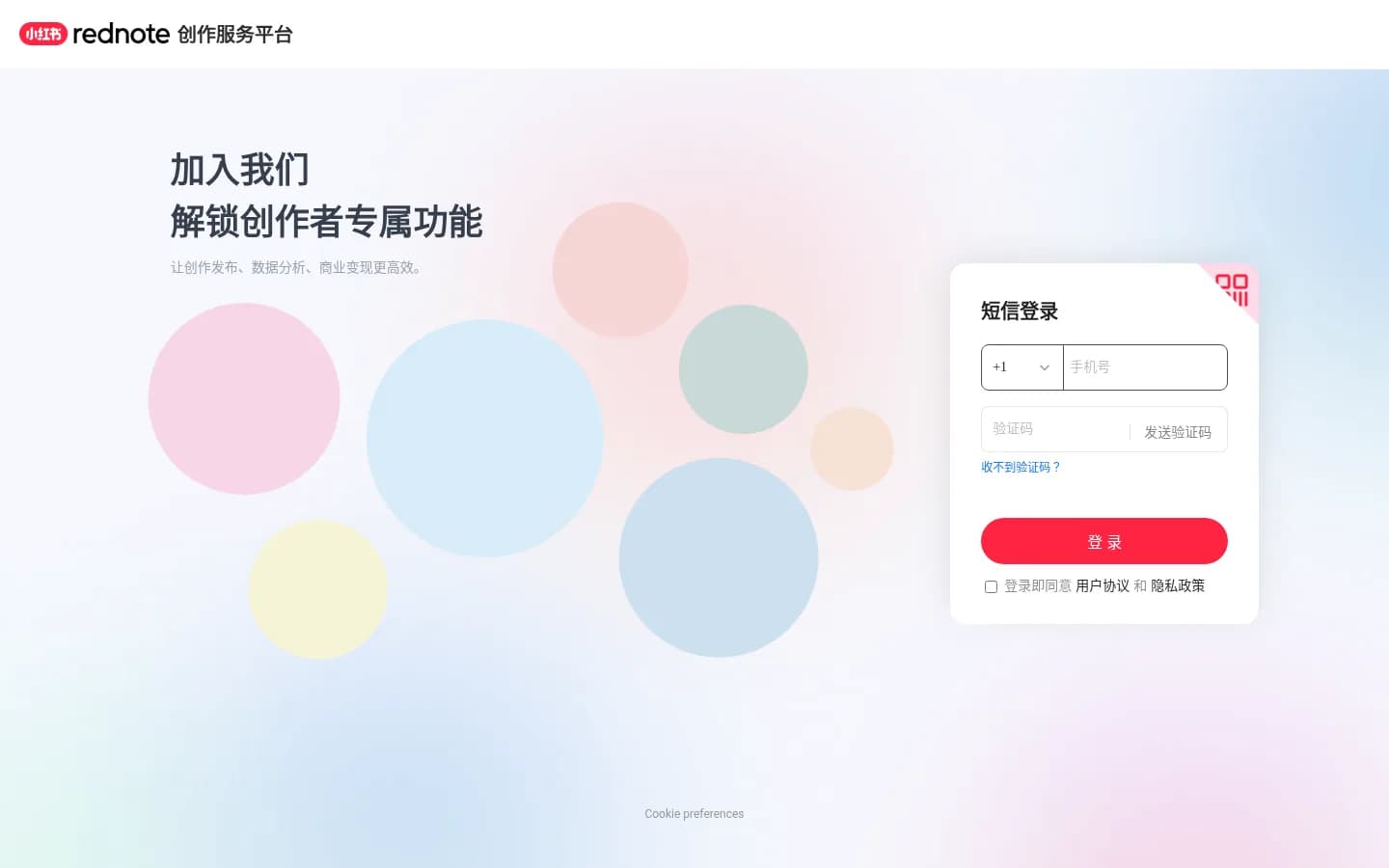
On the international creator site, creator.rednote.com, the country-code box defaults to +1. The dropdown is not expanded in this screenshot.
Content that works on RedNote
RedNote rewards notes that look like a real person sharing something useful, not a transplanted Instagram caption. Official community rules discourage posts with no genuine experience, or posts that lean too heavily on marketing language.
The official merchant learning center handbook (updated 11 February 2026) is written for product notes, but the format advice is useful for most image posts:
- Cover and images: Use a vertical 3:4 ratio. The handbook says this size occupies more of the feed and is easier to tap. Keep images in a set the same ratio. A common production size is 1080 × 1440 pixels; that is a widely used working size, not an official required dimension.
- Title: Keep it within 20 characters. Official Mini Program docs use the same cap (“最大长度 20 个字符”). The docs do not explain how Latin letters or emoji are weighted, so write short and check the composer counter. A scheduling tool such as Freepost will also flag a title that is over the cap before you publish.
- Body: Stay within 1,000 characters. The handbook suggests that shorter, focused copy is often better than filling the cap.
- Topics: Add relevant topic tags (话题), not a pile of unrelated hashtags. The handbook suggests about 4–8 closely related topics. The Mini Program API documents comma-separated topics but does not publish a maximum number.
- Image count: The official API allows 1–18 images in an image note, and does not allow images and video in the same note.
Write the title like a search query plus a benefit, in the language your audience uses. For most RedNote users that is Chinese. English-only notes can still be published, but they will miss much of in-app search.
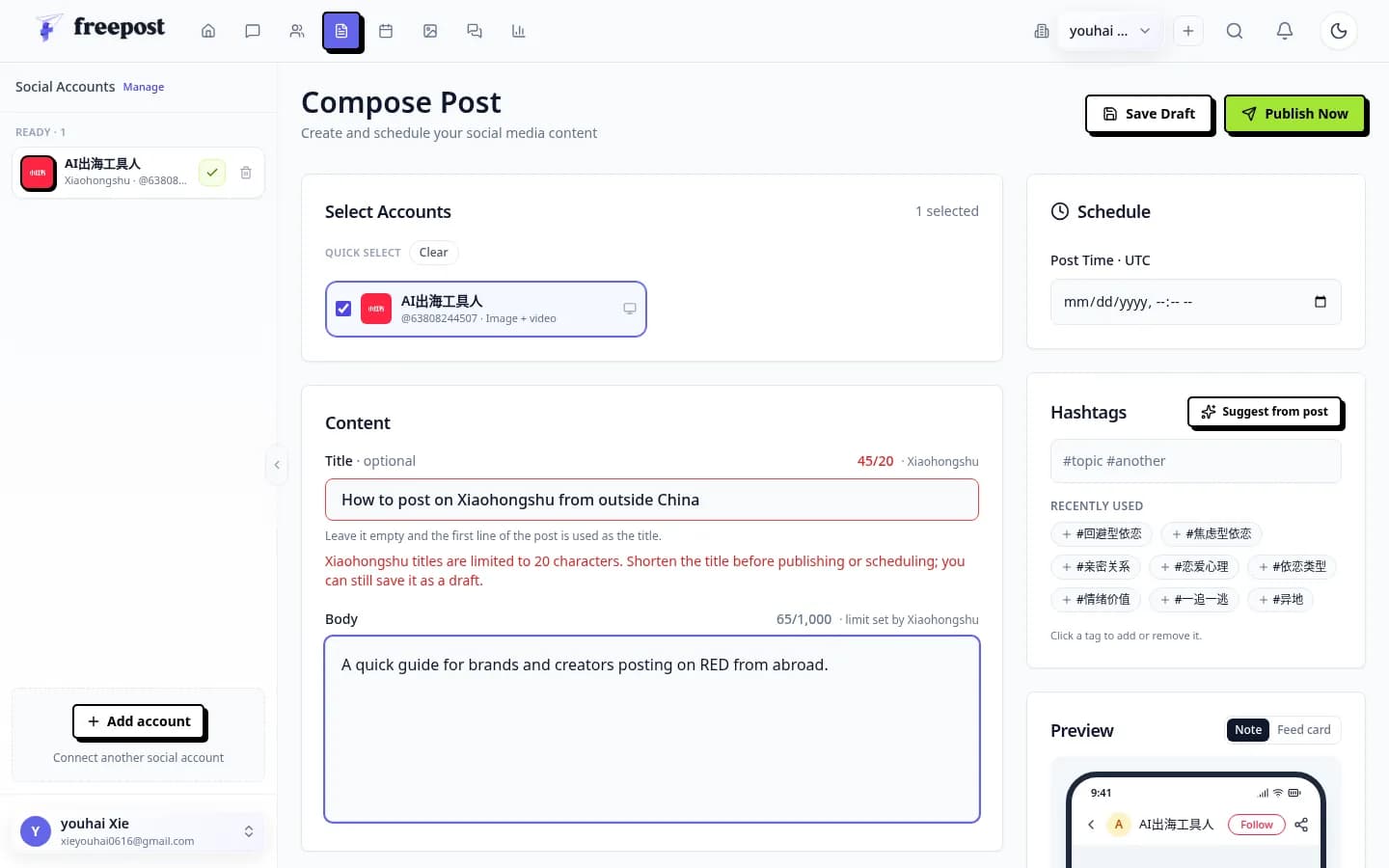
In Freepost, with a Xiaohongshu account selected, a long title is marked 45/20 and the composer warns that “Xiaohongshu titles are limited to 20 characters.” You can still save the draft, but the title should be shortened before publishing or scheduling.
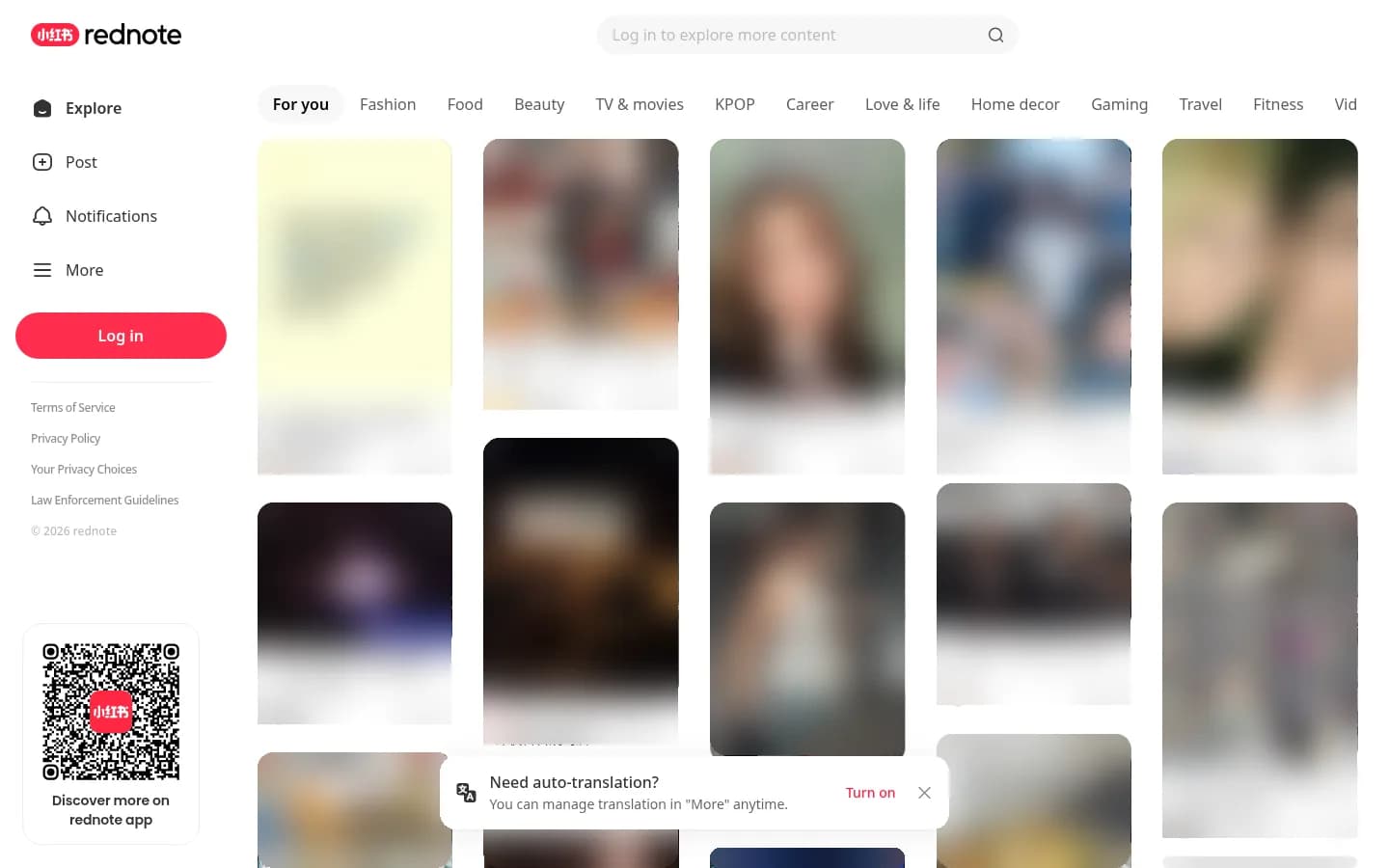
The international web feed at rednote.com uses an English interface. Covers in the Explore grid are tall 3:4 cards. Third-party covers, faces, usernames, and avatars are blurred in this screenshot.
Rules and risks to know
Read the official Xiaohongshu Community Rules before you publish. These are the points that catch overseas marketers most often.
Do not send people off the app. Section 3.2 says the platform does not encourage marketing or traffic diversion, including personal contact details (phone numbers, WeChat IDs, email addresses, physical addresses) and off-platform devices (URLs, QR codes, watermarks). That applies in the note, in images, and in comments. Disguised versions (“V me,” split-up numbers, “see my bio”) are a common way accounts get into trouble.
Commercial work belongs on official channels. For brand partnerships, use the official collaboration platform, 蒲公英 (Pugongying). Brands apply for a professional account first, then log in. Official Pugongying help (updated 4 November 2026) repeats the RMB 600 review fee and one-year validity. A professional account is not a waiver of community rules. The professional-account agreement also says overseas users may be asked to appoint a mainland entity as a domestic agent for qualification checks and regulatory inquiries.
Avoid behavior the platform treats as cheating. Community rules section 4.4 prohibits bulk account registration, running multiple accounts in ways that disrupt the platform, and “abnormal” publishing such as batch, high-frequency, or machine posting. Buying fake likes or followers is also banned. Enforcement can include reduced distribution, hidden content, feature limits, or a ban.
Be careful with VPNs and shifting IPs. Official rules ban publishing information about circumvention tools; they do not say that “using a VPN abroad will limit your reach.” Users do report extra risk prompts when the IP looks unusual, and some have been restricted or asked for extra verification after using the web creator platform from abroad. “限流” (reduced distribution) is a community term, not a formal status in settings. A stable network and device are safer than hopping between data-center proxies.
If you operate as a business, apply with real credentials. Do not buy, share, or rent accounts. Official rednote Terms require you to keep the password confidential and not let others use the account, or sell it, without permission.
Scheduling and managing multiple accounts
Once you post more than occasionally — or manage RedNote alongside Douyin, WeChat Channels, Instagram, or X — the hard part is usually the queue: reviewing drafts, hitting the right local time, and keeping accounts separate.
You can do this in the official app: draft on your phone, publish when your audience is awake in China, and keep one account per device profile. That is the lowest-risk setup for many solo creators.
If you need a calendar, a review step, or several signed-in accounts kept apart, a scheduling tool can help. Freepost is one option built for this kind of cross-border workflow. You tell it what you want to post; it drafts a version for each platform; you review; then it schedules and publishes from your own signed-in accounts. RedNote accounts connect by scanning the platform’s QR code inside Freepost’s hosted browser (the picker labels the platform Xiaohongshu). Each account has its own isolated browser profile and an optional per-account proxy. Freepost does not store passwords and does not use an official publishing API; it publishes through the platform’s own web pages. The free plan includes 5 social accounts and 10 posts a day, with no credit card. Paid plans start at ¥39 a month.
A tool does not replace the platform’s rules. Off-platform links, undisclosed commercial posts, and bulk or machine-like behavior can still get a note or account restricted.
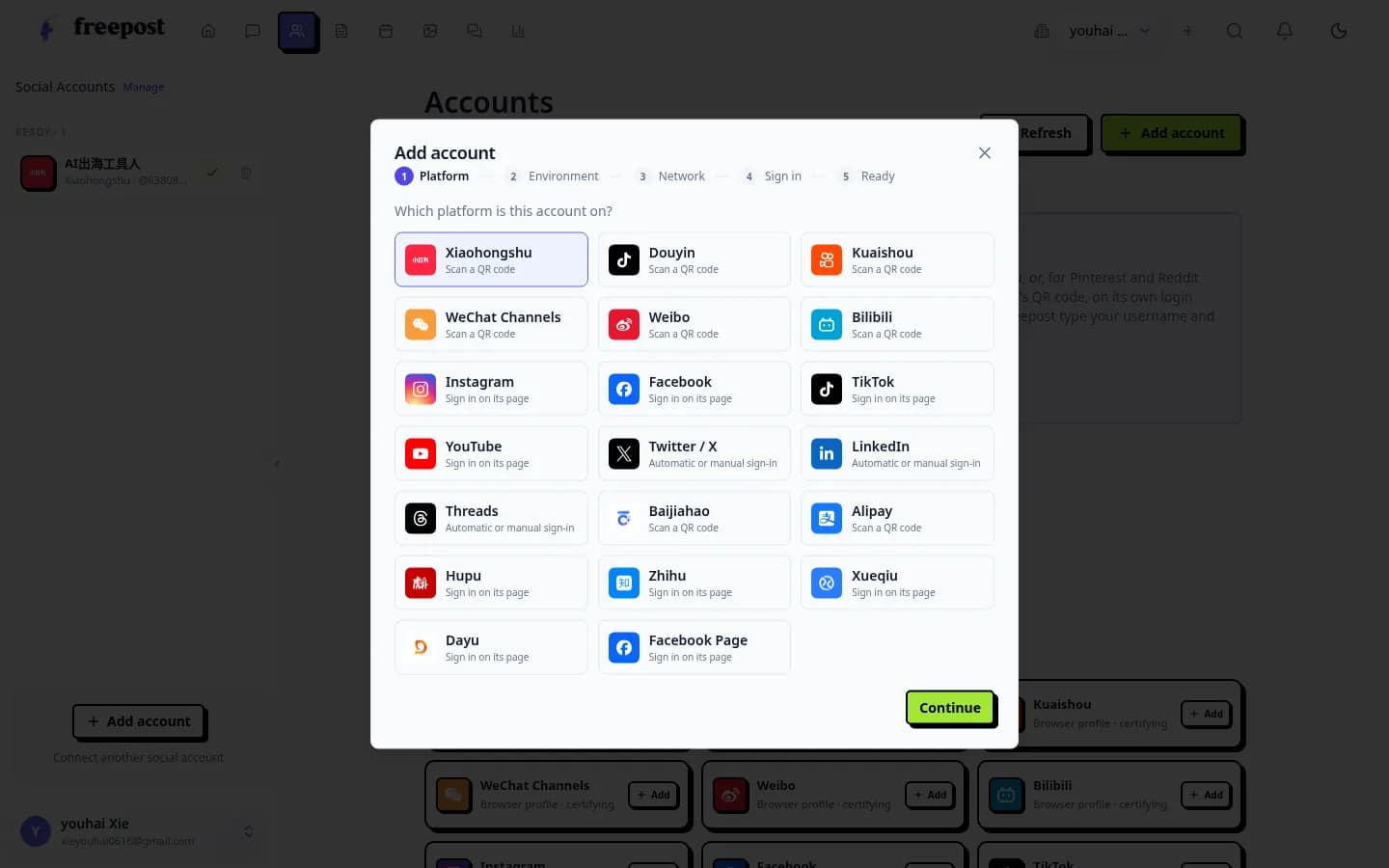
Choose Xiaohongshu in Freepost’s platform picker, then continue to the sign-in step.
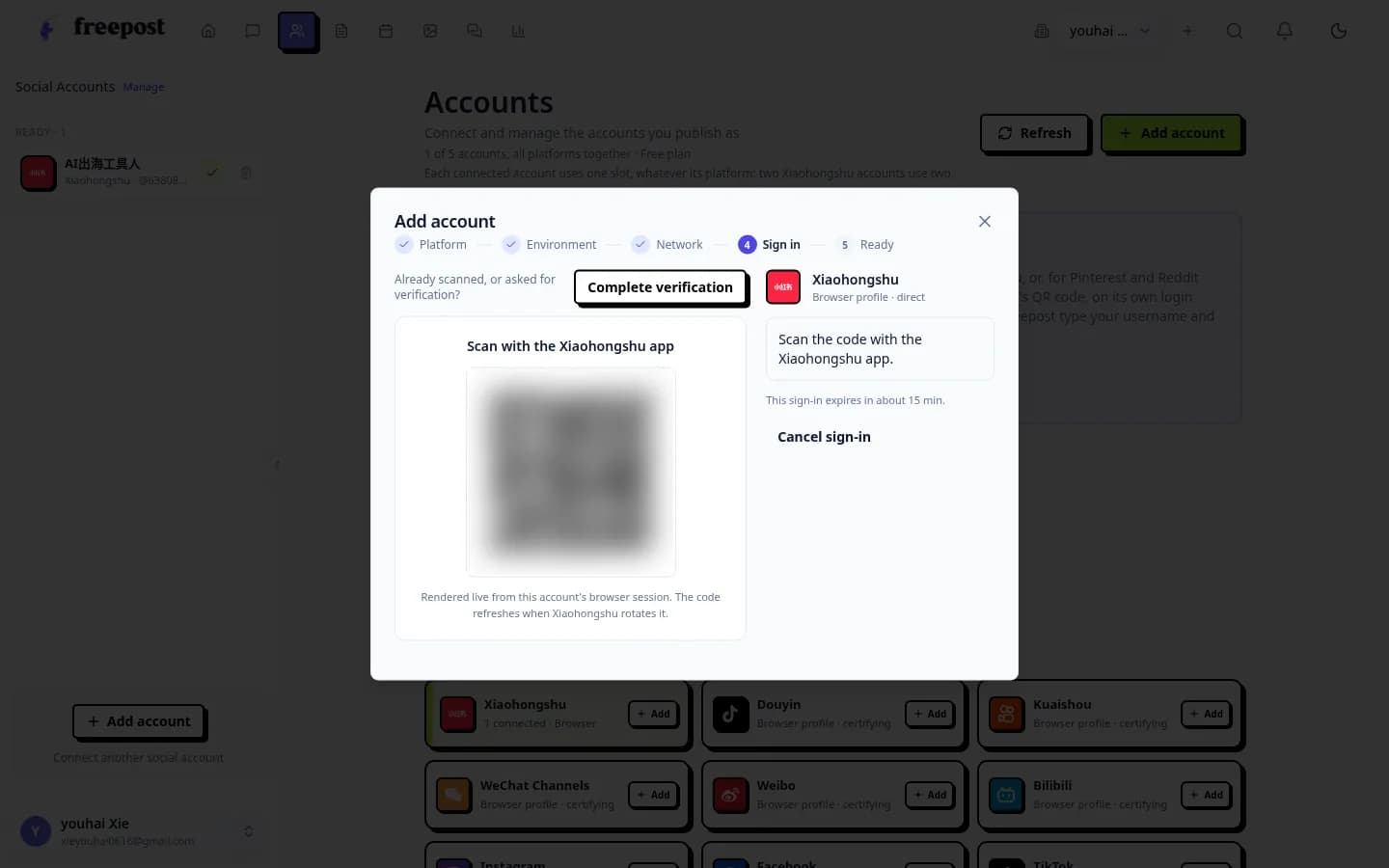
Freepost shows the platform QR code in a hosted browser session. The code in this screenshot is blurred.
FAQ
Do I need a Chinese phone number to use RedNote from abroad?
No. Current signup guides show that a foreign number with the correct country code can receive the SMS code in the official app. Apple ID and WeChat are also commonly available. One number can be bound to only one account.
Do I need real-name verification just to post?
Usually no, for ordinary notes on a personal account. Real-name or business verification is typically required for professional accounts and for official brand collaborations, stores, or live commerce. Confirm the current requirements in the app.
Does the RedNote creator website work outside China?
The login pages on creator.xiaohongshu.com and the international creator site creator.rednote.com can open from an overseas network, but do not assume every desktop feature will work. Some users report being restricted or asked for extra verification after signing in from abroad. Try both official domains, and keep the app ready.
Can I put my website, WeChat ID, or a QR code in a post?
Not if the point is to move people off RedNote. Official community rules list personal contact details, URLs, QR codes, and watermarks as traffic-diversion behavior. Use in-platform tools such as product notes, the official store, or 蒲公英 instead.
Will posting from abroad or using a VPN get my account limited?
Overseas use of the official app is common and is not, by itself, described in public rules as a violation. Unstable IPs and VPN use during login have been associated with extra risk checks, and some users report being restricted or verification-challenged on the web creator platform from abroad. Content violations and abnormal publishing are the clearer, documented risks.
Can I schedule RedNote posts?
RedNote’s own app and creator tools are the first place to look for drafts. If you need a cross-platform queue, a scheduler such as Freepost can hold drafts for approval and publish through the platform’s web pages. You are still responsible for what the account posts.
If you want to try that workflow, start on Freepost with a free plan, connect the account you already use, and review every draft before it goes out. The platform’s rules do not change because a scheduler is in the middle.