

Can Meta Muse Post to Social Media? What It Can and Can't Do (2026)
Meta Muse can research and draft posts. See what Meta documents about publishing and how to schedule posts with Freepost.

By
Freepost team
No: Meta’s official documentation does not describe Muse as a tool that schedules or publishes posts to social networks. Muse can research a topic, draft copy, generate images, and keep working after you close the app. Getting that work onto Xiaohongshu, Douyin, WeChat Channels, X, LinkedIn, Instagram, TikTok and the rest of a 20+ platform list is a different job. Freepost is built for that second job.
Freepost is not affiliated with Meta, and this is not an official Muse guide. Facts below are taken from Meta’s Newsroom and Help Center, and were checked on 18 November 2026.
What Muse is
Muse is Meta’s personal AI agent. In a Newsroom post published on 8 September 2026 (updated 10 November 2026), Meta describes it as an agent that does not only answer questions: it takes on work, turns goals into action plans, and continues after you close the app. It runs on Muse Secure VM, a dedicated virtual machine with its own browser. You can talk to it in the Muse app or in WhatsApp.
According to the same announcement, Muse rolled out in the United States on iOS, Android, and muse.ai, with AI glasses listed as coming soon. It is free for most of what people need, with subscription plans for people who want to do more. Meta later announced availability in Singapore on 27 October 2026. We have not verified a complete country list, and we found no official statement that Muse is generally available in Chinese mainland.
Similarweb, on its official X account (posted 17 November 2026, 09:38 UTC), said Muse reached 10.24 million daily active users on 13 November 2026. That is a Similarweb estimate, not a figure Meta published in the Newsroom pages we checked.
Image: Meta. Source: Introducing Muse on the Meta Newsroom. This is official marketing art, not a product screenshot.
To see the app interface itself, use Meta’s own listings — we are not rehosting those screenshots: Google Play and the App Store. Public posts that also show the UI include Mark Zuckerberg’s launch thread and Mashable’s write-up of how people are using Muse.
What Muse can do (from official docs)
Meta’s getting-started article says you can ask Muse questions, get help with tasks, set reminders, and keep a conversation going. You can use the app or the web with a Meta Account.
The artifacts article is more specific. Muse can read, create, edit, and summarize artifacts, including:
- Documents: PDF, DOCX, plain text, and Markdown
- Spreadsheets: XLSX and CSV
- Images: PNG, JPEG, GIF, and WebP, including generating a new image from a description and then adjusting it
- Code files, plus simple web tools and visualizations
The skills article describes built-in skills such as compiling research, drafting documents, generating images, creating dashboards or podcasts, browsing the web, and scheduling a task (for example a reminder or a follow-up, not a social post). Muse can also keep working after you close the app, and is designed to ask before sensitive actions such as sending an email or making a purchase.
None of those official pages describe publishing or scheduling a post on a social network.
Can Muse post to Instagram, X, or Xiaohongshu?
Not according to the official pages we reviewed.
How Muse works with Connectors says connectors give Muse new abilities, with examples such as seeing your calendar or writing an email. Three Meta products — Facebook, Instagram, and Threads — are connected automatically if those accounts are in the same Accounts Center. The article does not say Muse can publish to those accounts.
The Singapore Newsroom post is even more precise about Instagram: people can connect Gmail, Google Calendar, and Instagram so Muse can “manage email, coordinate schedules and draw on saved content to get everyday tasks done.” “Draw on saved content” matches the earlier Newsroom example of turning a saved Instagram recipe reel into a grocery list. That is not the same as posting a Reel, a Feed post, or a Story.
We also did not find official documentation that Muse can post to, or schedule on, X, LinkedIn, TikTok, YouTube, Xiaohongshu (RedNote), Douyin, Kuaishou, WeChat Channels, Weibo, Bilibili, Zhihu, or the other Chinese platforms Freepost supports.
Meta does allow custom connectors. You can ask Muse to create one for a service that is not yet in the connector list. Meta says it does not review custom connectors or how they use your information, and tells people to grant access with caution. Some third-party tools market themselves as Muse-connected schedulers. That is their claim, not a Meta-documented social posting feature, and Freepost is not one of those connectors.
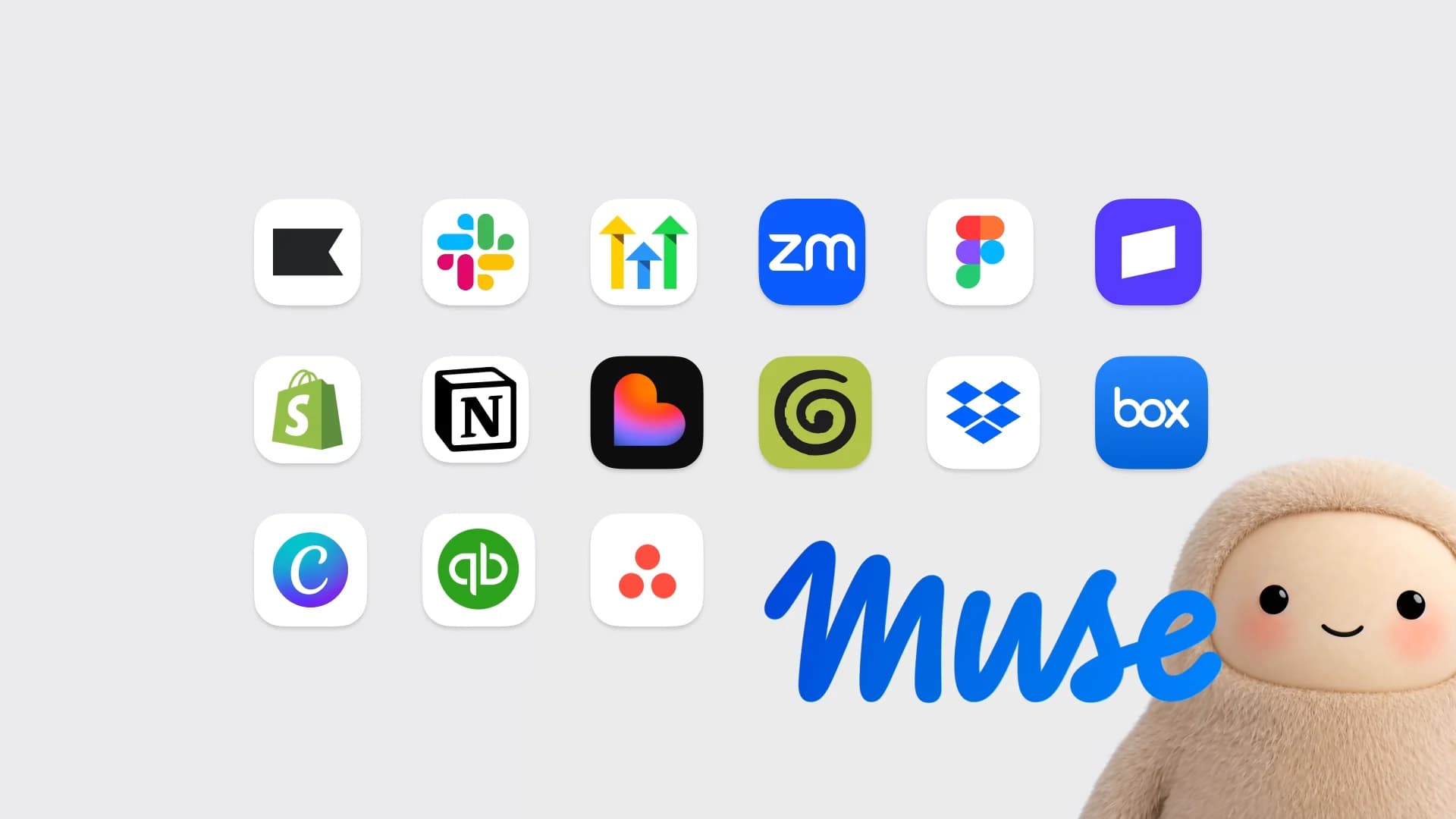
Image: Meta. Source: Muse for Small Business on the Meta Newsroom. The official grid shown here is business and productivity apps; it does not present a social-media scheduler.
Can / can’t, at a glance
The comparison below is limited to what official Meta pages state or omit, plus what Freepost itself publishes at freepost.io and in its public llms.txt.
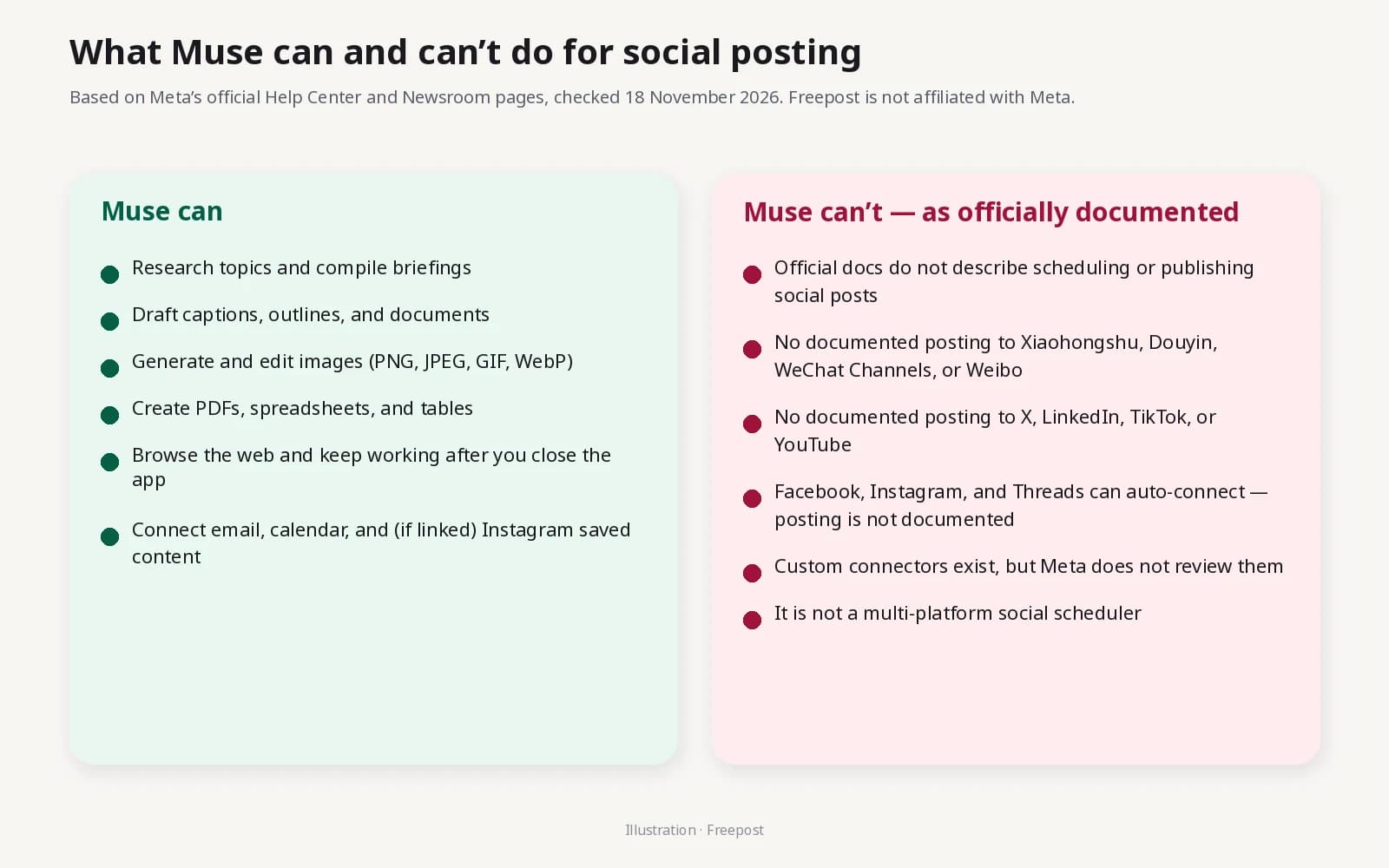
Illustration. A Freepost original diagram, not a Muse screenshot.
Swipe to see more
| Need | Muse, as officially documented | Freepost |
|---|---|---|
| Research a topic and compile a briefing | Yes: web browsing and research skills | You can paste that briefing into Freepost and ask it to draft platform versions |
| Draft captions, outlines, documents, tables | Yes: documents, PDFs, spreadsheets | Yes: one draft, adapted and previewed per account |
| Generate or edit images | Yes: PNG, JPEG, GIF, WebP | Yes: a media library for images and short videos |
| Send email or make a purchase | Yes, with your approval | Not what Freepost is for |
| Schedule or publish to Xiaohongshu, Douyin, WeChat Channels, Weibo, Bilibili and other Chinese platforms | Not described in the official pages we reviewed | Yes, after you approve |
| Schedule or publish to X, LinkedIn, Instagram, Facebook, Threads, TikTok, YouTube | Not described as a posting feature | Yes, after you approve |
| Preview a post the way the platform will show it | Not described | Yes, including checks for what a platform would reject |
| Calendar, queue, and on-time publishing in your time zone | Reminders and background tasks, not a social calendar | Yes |
| Publish only after a human approves | Muse asks before some sensitive actions; social publishing is not documented | Nothing is published without your approval |
Where Freepost fits
The clean split is: Muse helps you think and write; Freepost helps you publish.
Freepost is an AI social workspace for people who post on both Chinese and international platforms. You tell it what you want to post. It drafts a version for each connected account. You review a preview that follows the platform’s layout and limits. After you approve, it schedules or publishes from accounts you have signed in yourself.
It currently lists 20 platforms in its public product description:
- Chinese platforms: Xiaohongshu (RED), Douyin, Kuaishou, WeChat Channels, Weibo, Bilibili, Zhihu, Baijiahao, Xueqiu, Hupu, Dayu, Alipay
- International platforms: X (Twitter), LinkedIn, Instagram, Facebook, Facebook Page, Threads, TikTok, YouTube
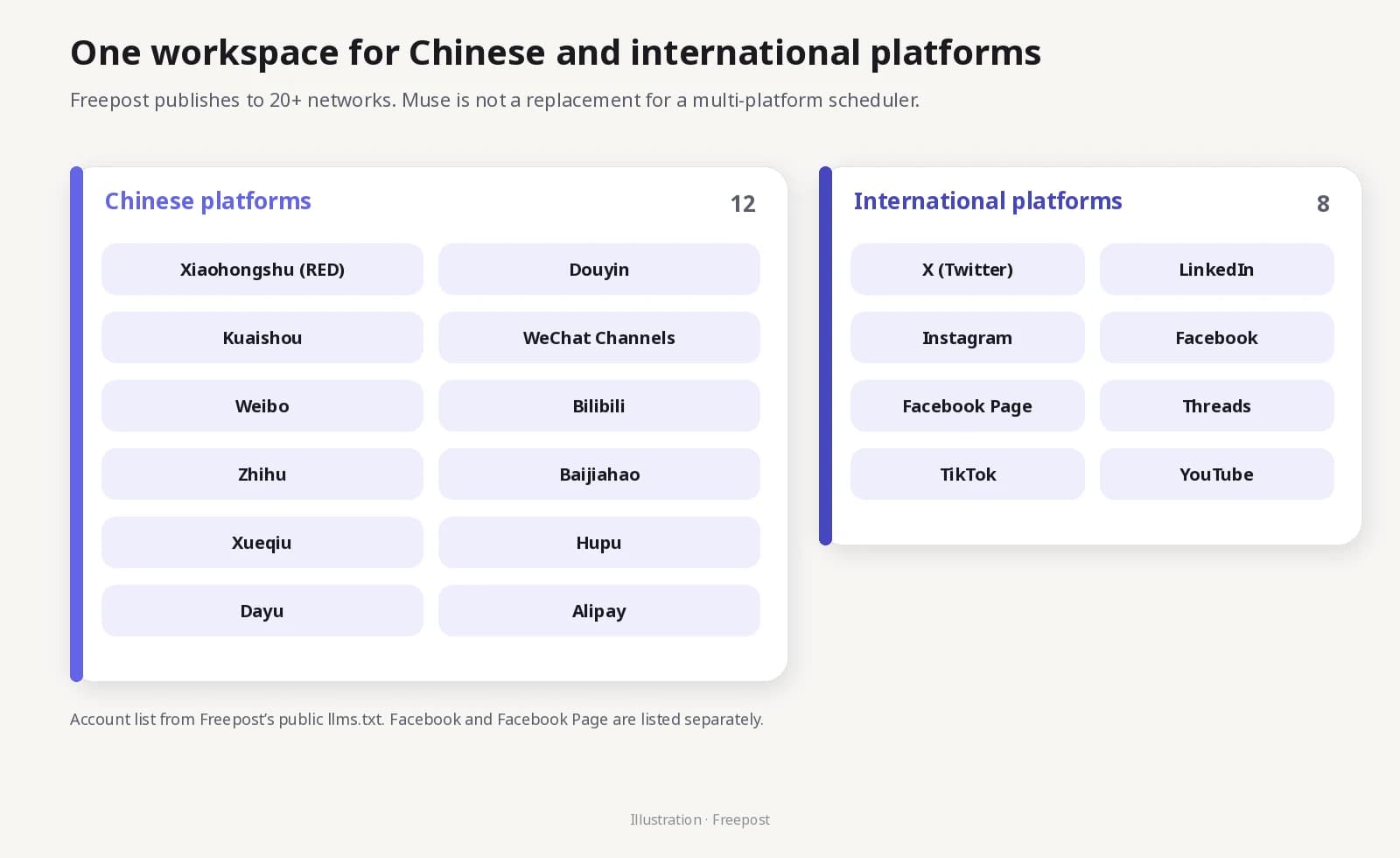
Illustration. Platform names follow Freepost’s public llms.txt. Facebook and Facebook Page are listed separately.
Publishing goes through each platform’s own web pages, inside an isolated browser profile, so it also works on networks without a public posting API. Passwords are not stored. Optional per-account proxies are available. A month, week, or day calendar runs in your time zone, with automatic retries. Analytics cover the last 7, 30, or 90 days.
The free plan is 5 accounts and 10 posts per day, with no credit card. Paid plans start at ¥39 a month.
If you want the step-by-step workflow — prompts in Muse, export, then adapt and schedule in Freepost — see the companion guide, Use Muse + Freepost to run social media: from idea to 20+ platforms.
Frequently asked questions
Can Meta Muse post to Instagram, Facebook, or Threads?
Official Help Center pages say those three accounts can connect automatically when they share an Accounts Center, and the Newsroom describes using saved Instagram content for everyday tasks. We did not find official documentation that Muse can publish or schedule posts, Reels, or Stories on those networks.
Can Muse post to Xiaohongshu, Douyin, or WeChat Channels?
We found no official Meta documentation that Muse can post to, or schedule on, those platforms — or on Kuaishou, Weibo, Bilibili, Zhihu, Baijiahao, Xueqiu, Hupu, Dayu, or Alipay.
Can Muse post to X, LinkedIn, TikTok, or YouTube?
Not in the official Help Center or Newsroom pages we reviewed. Those pages do not describe a social scheduling connector for those networks.
Does Muse have a social media scheduler?
Not as an officially documented feature. Muse can set reminders, schedule tasks, and work in the background. That is not the same as a multi-platform publishing calendar.
What about Muse custom connectors?
They exist. Meta says you can ask Muse to create a custom connector for a service that is not in the list, and that Meta does not review those connectors. That is not an official integration, and it is not how Freepost works today. Treat any third-party “connect Muse to a scheduler” claim as that vendor’s own product, not Meta’s.
Is Freepost official Muse software, or a Muse-branded publisher?
No. Freepost is an independent product at freepost.io. It is not a Meta product, not a Muse connector, and not affiliated with Meta.
Where can I use Muse, and does it cost money?
Meta announced a US rollout on 8 September 2026, and Singapore availability on 27 October 2026, on iOS, Android, and muse.ai. Official pages say Muse is free with a usage limit, and that a paid subscription is available if you want more usage. We did not independently verify plan prices or a full country list.
Sources and how we checked this
This article was written on 18 November 2026. We read the following official pages and did not add Muse features that those pages do not state:
- Introducing Muse — Meta Newsroom, 8 September 2026, updated 10 November 2026
- Muse is now available in Singapore — Meta Newsroom, 27 October 2026
- How to get started with Muse
- How Muse works with Connectors
- How to use Muse with artifacts
- How Muse works with skills
- Muse product page
- Similarweb on X, 10.24 million DAU — 17 November 2026
Muse will change. If Meta later documents social posting or a third-party scheduler directory, this article should be updated.